Ask Questions About Project Data
Use this page for reproducible questions about data already available to an Analytics Project—for example counts, comparisons, trends, distributions, and missingness.
This workflow is read-only. It may query accessible analytics tables, but it must not write SQL, create tables, load files, change roles, or publish a persistent result.
Before you start
Section titled “Before you start”You need:
- Culsma PAWS connected and enabled in your AI Agent;
- the intended Analytics Project identified;
- access to the relevant source tables through that project; and
- a question with enough detail to define the population and measure.
If the required Lab Project data has not yet been linked or loaded into an Analytics Project, continue to Analytics Projects before using this workflow.
Start in your AI Agent
Section titled “Start in your AI Agent”Replace the placeholders and copy this request:
Use Culsma PAWS to answer this question in Analytics Project [PROJECT NAME]: [QUESTION]. Confirm the authenticated project, inspect the accessible schema and columns, clarify any material ambiguity, dry-run the SQL, and execute it only in read mode with a conservative limit. Return the result with the exact SQL, source tables, assumptions, row count, truncation status, and query audit ID.The AI Agent should:
- state the selected environment and authenticated Analytics Project;
- discover only the schemas and tables available to you through that project;
- inspect column metadata before drafting SQL;
- clarify definitions such as “sample count,” date field, missing value, grouping, and exclusion when they affect the result;
- dry-run every query;
- execute only a read query with a conservative result limit; and
- return the evidence needed to reproduce and audit the answer.
Read-only analytics questions do not need a change-set approval.
Review the answer
Section titled “Review the answer”| Result item | What to check |
|---|---|
| Project and sources | Correct Analytics Project, schema, and source tables. |
| Metric definition | What was counted or compared, including distinctness and exclusions. |
| Time logic | Date column, time zone, date range, and grouping interval. |
| SQL | One read-only SELECT or WITH query that matches the stated question. |
| Completeness | Row count, missing values, result limit, and truncation status. |
| Interpretation | Observed result is separated from causal or scientific claims. |
| Audit evidence | Query audit ID is present beside the selected environment. |
If the result is truncated, ask for a narrower aggregation or a controlled continuation. Do not describe a partial result as exhaustive.
Optional: Check source records in Web/App
Section titled “Optional: Check source records in Web/App”Web/App does not replace an audited aggregate query. Use it to spot-check a small number of source records or to confirm that a visible field has the meaning assumed by the query.
- Confirm the workspace and Lab Project related to the analytics source.
- Open the relevant source area, such as Samples.
- Apply a visible identifier, type, subject, storage, or tag filter.
- Open several matching and non-matching records.
- Compare their displayed values with the query definition and assumptions.
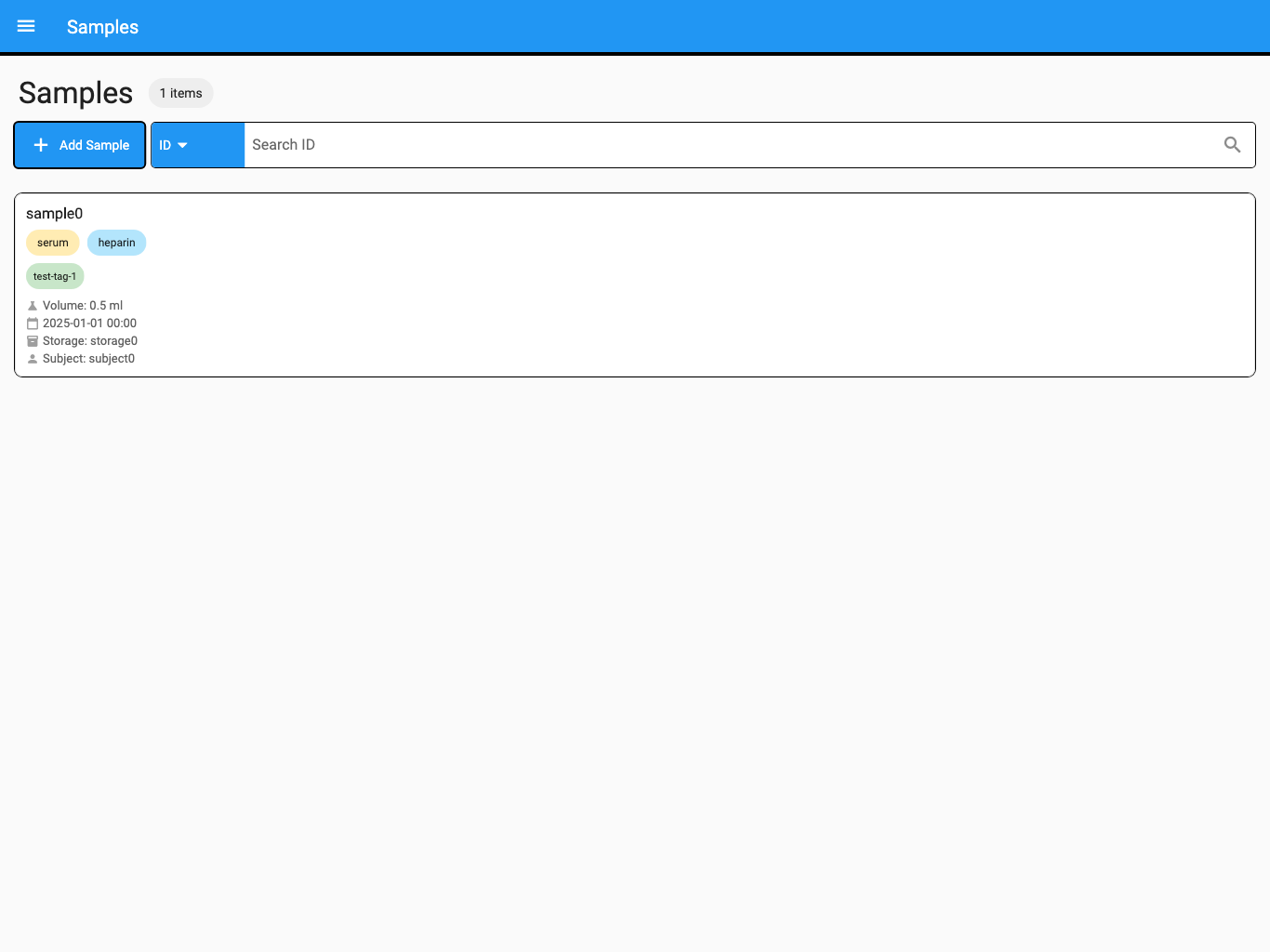
The screenshot uses synthetic test data.
A visual spot check can reveal a mistaken assumption, but it does not prove that a full aggregate query is correct. Use the SQL, source tables, counts, and audit ID as the reproducible record.
More questions to try
Section titled “More questions to try”Count distinct samples by sample type and collection month for 2026. State which timestamp defines collection month.
Compare PBMC and plasma sample counts by Lab Project. Include projects with zero matching records if the source model supports that comparison.
Which supported sample fields have the highest missing-value rates? Show the numerator, denominator, and missingness definition for each field.
Show the monthly trend in newly recorded samples, but do not interpret it as a biological trend.
If the question cannot be answered reliably
Section titled “If the question cannot be answered reliably”| What you see | What to do |
|---|---|
| The Analytics Project is ambiguous | Identify the exact project before schema discovery or query execution. |
| A metric has several meanings | Choose the date, distinct key, population, and exclusion rule explicitly. |
| A required table or column is unavailable | Confirm project links and permissions; do not substitute an unrelated source. |
| The dry run fails | Review the reported schema or SQL error and revise the query before execution. |
| The result is truncated | Aggregate further, narrow the question, or continue with an explicit controlled limit. |
| The source contains missing values | Report their effect on the numerator, denominator, grouping, and interpretation. |
| The answer implies causation | Reword it as an observed association or aggregate unless supported scientific analysis exists. |
| No audit ID is returned | Treat the result as incomplete and request the audited query evidence. |
You have completed the task when the question, SQL, sources, assumptions, result, completeness information, and query audit ID form one reproducible answer.
To build a reusable dataset or publish maintained analytics objects, continue to Analytics Projects.