Review and Approve Changes
Use this page whenever your AI Agent proposes changing Culsma PAWS data. A preview is a reviewable proposal, not a completed operation.
Read-only searches and analytics queries do not need change-set approval. Sample updates, imports, tag changes, and storage assignments must stop at the appropriate approval boundary before commit.
Recognize the current state
Section titled “Recognize the current state”| State | Meaning | What you should do |
|---|---|---|
| found | The intended records were resolved without changing them. | Confirm that the targets are exact. |
| ambiguous | More than one record could match. | Add one identifying detail; do not allow a guess. |
| previewed | A governed change set was created. | Review the complete normalized difference. |
| awaiting approval | The AI Agent has stopped before commit. | Approve the exact change set or cancel it. |
| committed | The approved operation was applied. | Fetch the affected records again. |
| cancelled | The staged proposal was discarded. | No data should have changed. |
| partially failed | Only part of a multi-target operation completed. | Review target-level and recovery evidence before any follow-up. |
| verified | Read-back confirms the recorded result. | Compare it with the approved preview and finish the task. |
Review a preview
Section titled “Review a preview”Before approving, confirm:
- the selected environment and authenticated workspace;
- the operation name and change-set identifier;
- the exact canonical targets and displayed identifiers;
- every current and proposed value;
- all warnings, unresolved references, ignored no-op fields, and side effects;
- the preview expiry; and
- whether the change is one stage of a larger import or dependent workflow.
Production previews should be clearly labeled PRODUCTION. Stop if the environment is missing or inconsistent with your request.
Approve or cancel
Section titled “Approve or cancel”Use explicit language that identifies the proposal you reviewed:
I approve the exact PRODUCTION change set [CHANGE SET ID] shown above. Commit only this unchanged change set, then fetch every affected record and verify the result.To reject the proposal:
Cancel change set [CHANGE SET ID]. Do not apply it and do not create a replacement unless I ask.Approval does not transfer to another change set. A changed, stale, expired, conflicted, or replacement preview requires a new review and a new explicit approval.
Do not approve a proposal merely to see what it does. Cancel it and ask for a clearer preview.
Verify after commit
Section titled “Verify after commit”The AI Agent should fetch affected records again rather than relying only on the commit response.
Check:
- each target still has the expected canonical identifier;
- the final values match the approved after-values;
- unrelated fields and relations remain unchanged;
- multi-target results list every success and failure; and
- the response includes the relevant change-set, mutation-group, import-receipt, or audit evidence.
If verification fails, do not repeat the original change blindly. Fetch current state and prepare the smallest safe correction.
Optional: Confirm the result in Web/App
Section titled “Optional: Confirm the result in Web/App”Web/App cannot approve or commit an MCP change set. Use it after commit as an independent visual check of important records.
- Confirm the active workspace.
- Open the affected area, such as Samples, Freezers, or a portable storage box.
- Find the exact canonical or displayed identifier.
- Compare the visible values and relations with the approved preview and AI read-back.
- Refresh the view before treating a disagreement as a confirmed mismatch.
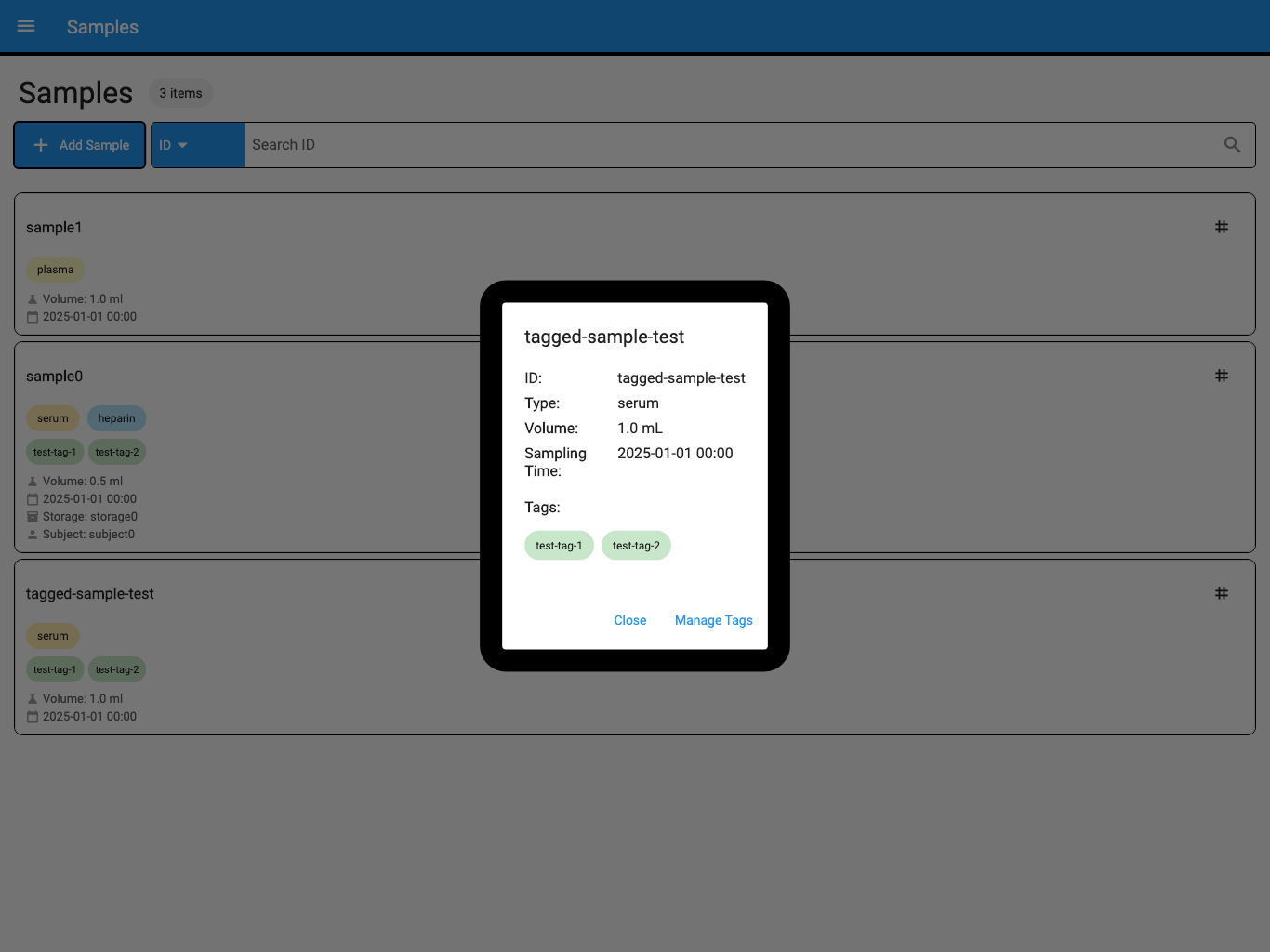
The screenshot uses synthetic test data.
For a physical storage change, verification is complete only when the visible record, physical item, and barcode label agree.
Stop and request a new preview when
Section titled “Stop and request a new preview when”- the wrong record appears;
- a current or proposed value is unclear;
- more records will change than expected;
- the destination or reference is ambiguous;
- the preview has expired;
- the underlying record changed after preview; or
- the AI Agent asks for broad approval without identifying a change set.
If approval or verification cannot continue
Section titled “If approval or verification cannot continue”| What you see | What to do |
|---|---|
| No change-set ID | Ask for a governed preview; do not give a general approval. |
| The environment is not stated | Ask the AI Agent to state and verify it before review. |
| Unrelated changes appear | Cancel the proposal and request a narrower change. |
| The preview expired | Fetch current state and generate a new preview. |
| Commit reports a conflict | Do not force or blindly retry; review a new preview against current data. |
| Commit partially failed | Separate successful and failed targets using the reported mutation and recovery evidence. |
| AI read-back and Web/App disagree | Refresh both, verify the exact record, and treat the task as incomplete until reconciled. |
| The wrong change was committed | Preserve the evidence and prepare a separately reviewed corrective or supported recovery operation. |
You have completed the workflow only when the proposal is cancelled or the approved change is committed and verified.
Return to Update Samples and Tags, Import Samples, Manage Freezers and Racks, or Manage Boxes, Samples, and Labels for task-specific instructions.